 人工精选
全栈AI编程课:靠Cursor AI,快速搞出网页和手机APP(国外中字)
如果你最近在社交平台上刷到过“零基础三天做出一个 App”这类内容,大概率会产生两种反应:要么心动,要么警惕。这门《全栈AI编程课:靠Cursor AI,快速搞出网页和手机APP》属于后者值得先看清楚再决定的那类资料——它确实围绕 Cursor 这个 AI 编辑器展开,也确实带着学员从头搭出一个带支
会员可免费下载本篇月会员可免费领取。
开通会员 ›会员 · 按档位
游客按标价购买,不享受上表折扣。
支付成功后自动发放网盘链接,链接失效可找客服免费补
如果你最近在社交平台上刷到过“零基础三天做出一个 App”这类内容,大概率会产生两种反应:要么心动,要么警惕。这门《全栈AI编程课:靠Cursor AI,快速搞出网页和手机APP》属于后者值得先看清楚再决定的那类资料——它确实围绕 Cursor 这个 AI 编辑器展开,也确实带着学员从头搭出一个带支付、带后台、带 AI 能力的完整项目,但它并不是那种“打开就能自动生成产品”的魔法课。
它解决的是哪个具体场景
这门课瞄准的场景很明确:你有一个想做的网页或移动端产品原型,但自己写代码的速度跟不上想法。课程用 Cursor 作为主要工具,把“描述需求 → 生成代码 → 调试 → 接入服务”这条链路拆开演示。它不教你从零手写一个框架,而是教你如何用自然语言和 AI 配合,把前端页面、后端接口、数据库这些环节串起来。
换句话说,它想帮你跨过的是“卡在环境和语法上”那道坎,而不是替你决定产品该长什么样。
学完能独立做出什么
从课程结构来看,它最终落在一个可运行的 SaaS 类项目上。你会接触到用 Stripe 处理订阅付费、搭建管理后台、以及通过 AI SDK 把 OpenAI 的能力接进自己的应用。这几块拼在一起,基本覆盖了一个小型付费产品的核心骨架:用户能用、能付钱、管理员能看数据、产品里带一点 AI 功能。
需要说清楚的是,课程演示的是“跑通流程”,不是“上线运营”。支付部分用的是测试环境,后台也是基础版本。学完之后你能独立复现一个类似项目,但真要对外发布,域名、部署、合规这些还得自己补。
资料适合什么基础的人
这门课对基础的要求比较微妙。它不要求你精通 JavaScript 或 Python,但完全不熟悉变量、函数、接口这些概念的人,看演示时容易跟不上节奏——因为 Cursor 生成代码之后,你至少得能判断它写得对不对、报错该往哪个方向查。
- 适合:写过一点代码、能看懂基本语法、想借 AI 提高开发效率的人。
- 适合:产品经理或设计师,想自己把想法做成可点击的原型。
- 不太适合:完全没碰过编程、指望全程不动脑的人。
- 不太适合:已经有多年全栈经验、只想找 AI 编程技巧的人,内容偏基础。
使用这份资料的建议
课程是国外录制、配中文字幕,讲解节奏偏快,建议不要只是看。每看完一个模块,就打开 Cursor 自己敲一遍,哪怕照着做。支付和 AI 接口这两部分涉及外部账号和密钥,提前准备好测试用的账号,否则跟着跟着就断了。
另外,Cursor 本身更新很快,课程里的一些操作路径可能和你当前版本略有出入。遇到对不上的地方,优先查官方文档,不用怀疑自己。把它当作一个项目实战的参照,而不是逐字对照的说明书,用起来会顺很多。
课程目录
第 1 部分144 集
- 11 - Integrating Stripe for Saas payments
- 11 - Integrating Stripe for Saas payments必看.zip
- [1.8 MB]
- 50 - Integrating Stripe .mp4
- [95.6 MB]
- 51 - Creating Stripe webhooks.mp4
- [37.6 MB]
- 52 - Testing debugging payments.mp4
- [66.6 MB]
- 53 - Customer Portal sessions.mp4
- [54.5 MB]
- 54 - Stripe security review .mp4
- [29.6 MB]
- 48 - Creating St - .mp4
- [40.4 MB]
- 49 - Gathering S .mp4
- [52.5 MB] 📁
- 12 - Building the admin dashboard
- 12 - Building the admin dashboard文档.png [493.5 KB]
- 55 - Creating the admin dashboard .mp4
- [25.9 MB]
- 57 - Role based access and security .mp4
- [37.1 MB]
- 56 - Stripe Checkout workflow .mp4
- [48.3 MB] 📁 9 - Integrating OpenAI with AI SDK 9 - Integrating OpenAI with AI SDK必看.png [493.5 KB]
- 42 - Creating a chat page with AI SDK.mp4
- [73.7 MB]
- 44 - Reverse engineering guide .mp4
- [20.0 MB] 📁 2 - Cursor environment setup 2 - Cursor environment setup文档.png [493.5 KB]
- 11 - Adding User and Project rules .mp4
- [16.3 MB] 6 - Installing Nextjs .mp4
- [25.8 MB]
- 13 - Installing Shadcn component library .mp4
- [30.7 MB] 9 - Connecting to Vercel .mp4
- [23.1 MB]
- 12 - Adding the Context 7 MCP .mp4
- [13.4 MB]
- 10 - Adding the PRD document .mp4
- [31.2 MB] 7 - A high level Cursor overview .mp4
- [24.4 MB] 8 - Setting up GitHub .mp4
- [69.6 MB] 📁 1 - Getting started 1 - Getting started必看.png [493.5 KB] 1 - A forenote .mp4
- [10.6 MB] 5 - Installing development tools .mp4
- [7.5 MB] 5 - Course notes code and instructions.txt [96.0 B] 2 - How to get help_ .mp4
- [15.4 MB] 3 - The tools were using_ .mp4
- [25.1 MB] 4 - Creating our PRD document .mp4
- [18.6 MB] 📁
- 13 - Nextjs Supabase security
- 13 - Nextjs Supabase security文档.zip
- [1.8 MB]
- 60 - Testing ratelimiting .mp4
- [31.1 MB]
- 58 - Predeployment security checklist .mp4
- [58.5 MB]
- 59 - Upstash ratelimiting .mp4
- [39.8 MB] 📁 8 - Pro level prompting strategies 8 - Pro level prompting strategies文档.png [493.5 KB]
- 41 - The Role based strategy .mp4
- [22.0 MB]
- 39 - The QA strategy .mp4
- [27.2 MB]
- 40 - The Pros and Cons strategy .mp4
- [26.5 MB] 📁 4 - Version control with Git GitHub 4 - Version control with Git GitHub文档.png [493.5 KB]
- 21 - Creating dev and .mp4
- [29.6 MB]
- 20 - Setting up Git GitHub .mp4
- [69.7 MB] 📁
- 10 - Integrating Resend email
- 10 - Integrating Resend email文档.zip
- [1.8 MB]
- 47 - Integrating email with signup flow .mp4
- [34.4 MB]
- 46 - Creating an email with new email .mp4
- [70.7 MB]
- 45 - Getting started with Resend .mp4
- [38.1 MB] 📁 6 - Building core blog feature 6 - Building core blog feature说明.png [493.5 KB]
- 27 - Committing building and pushing .mp4
- [47.8 MB]
- 32 - Uploading images .mp4
- [70.0 MB]
- 34 - Testing private routes data access.mp4
- [28.4 MB]
- 31 - Testing dynamic blog data .mp4
- [50.2 MB]
- 29 - Creating blog CRUD .mp4
- [39.2 MB]
- 29 - Creating blog CRUD.mp4
- [43.9 MB]
- 28 - Scaffolding the user dashboard .mp4
- [36.3 MB]
- 33 - openai.webp [203.2 KB]
- 33 - card-design.png [226.5 KB]
- 32 - Uploading images.mp4
- [72.5 MB]
- 30 - The debugging process .mp4
- [33.2 MB]
- 33 - Improving the design .mp4
- [52.6 MB] 📁 3 - Supabase auth tables and RLS 3 - Supabase auth tables and RLS资料.png [493.5 KB]
- 19 - Testing the Signup flow .mp4
- [37.1 MB]
- 16 - Creating Auth pages .mp4
- [38.2 MB]
- 18 - Creating a profiles table .mp4
- [67.0 MB]
- 18 - Creating a profiles table.mp4
- [72.8 MB]
- 15 - Supabase MCP and rules .mp4
- [39.1 MB]
- 17 - Installing the Supabase CLI .mp4
- [23.0 MB]
- 14 - Signing up and connecting Supabase.mp4
- [40.2 MB] 📁
- 14 - Domains deployment with Vercel
- 14 - Domains deployment with Vercel文档.png [493.5 KB]
- 63 - How to set a custom domain .mp4
- [12.1 MB]
- 62 - Creating Preview .mp4
- [48.4 MB]
- 65 - Setting up Stripe for production.mp4
- [25.0 MB]
- 67 - Pushing to production .mp4
- [17.5 MB]
- 64 - Creating a Supaba .mp4
- [25.9 MB]
- 61 - Understanding Vercel deployments.mp4
- [84.6 MB]
- 66 - Cloning Supabase dev to prod .mp4
- [67.6 MB] 📁 1 - Getting started 1 - Getting started说明.zip
- [1.8 MB] 2 - Course notes code and instructions.txt [96.0 B] 📁 5 - Designing themes and assets
- 23 - React component architecture .mp4
- [20.8 MB]
- 23 - React component architecture.mp4
- [23.6 MB]
- 22 - App setting colors and fonts .mp4
- [51.0 MB]
- 22 - favicon.ico [6.9 KB]
- 24 - Designing in v0dev .mp4
- [58.9 MB]
- 24 - hero-background.jpg [1.4 MB]
- 26 - Improving the responsive design .mp4
- [20.8 MB]
- 25 - Creating a site header .mp4
- [38.0 MB] 📁 7 - Creating public blog pages
- 37 - Creating the blog view page .mp4
- [75.8 MB]
- 36 - Refining the blog list design .mp4
- [37.5 MB]
- 38 - SEO Metadata review .mp4
- [20.1 MB]
- 35 - Creating the blog list page .mp4
- [35.6 MB] 适合人群 AI编程爱好者 全栈开发初学者 进阶开发者 学习收获 掌握全栈AI编程技能 快速开发网页和APP 提升AI技术应用能力 祝您学习愉快! 学有所成,前程似锦!
同类课程
和你正在看的这门一个方向 AI
慕课网 - AI Agent全栈开发工程师(完整版)
永久有效 · 网盘发货
 AI
咕泡第五期-AI大模型零基础到商业实战全栈课
永久有效 · 网盘发货
 AI
黑马26年最新 ai V7.5 线上全套
永久有效 · 网盘发货
 AI
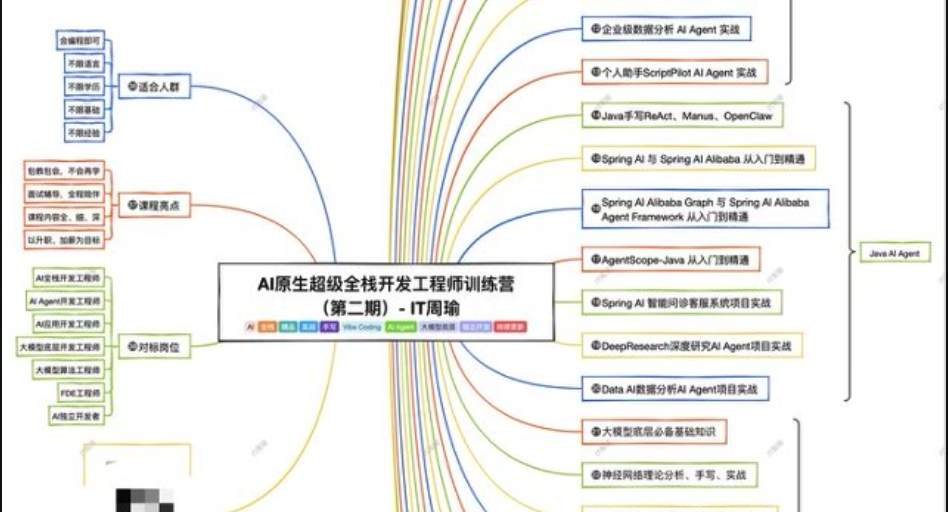
IT周瑜-AI原生超级全栈开发工程师训练营【第二期】
永久有效 · 网盘发货
 AI
大漂亮《自媒体影响力变现集训营》
永久有效 · 网盘发货
 AI
Hermes Agent从入门到AI数字员工实战|已完结
永久有效 · 网盘发货